
Everything a service company needs between sales and accounting – connected in one web app on your own server.
ProjectForge connects orders, projects, timesheets, people, invoices and liquidity. Every feature works on the same data, so what your team books today shows up in tomorrow’s forecast – without exports, imports or spreadsheets in between. All features are part of the free open-source edition. Your users only need a web browser.
Know every order, every budget and every project’s status.
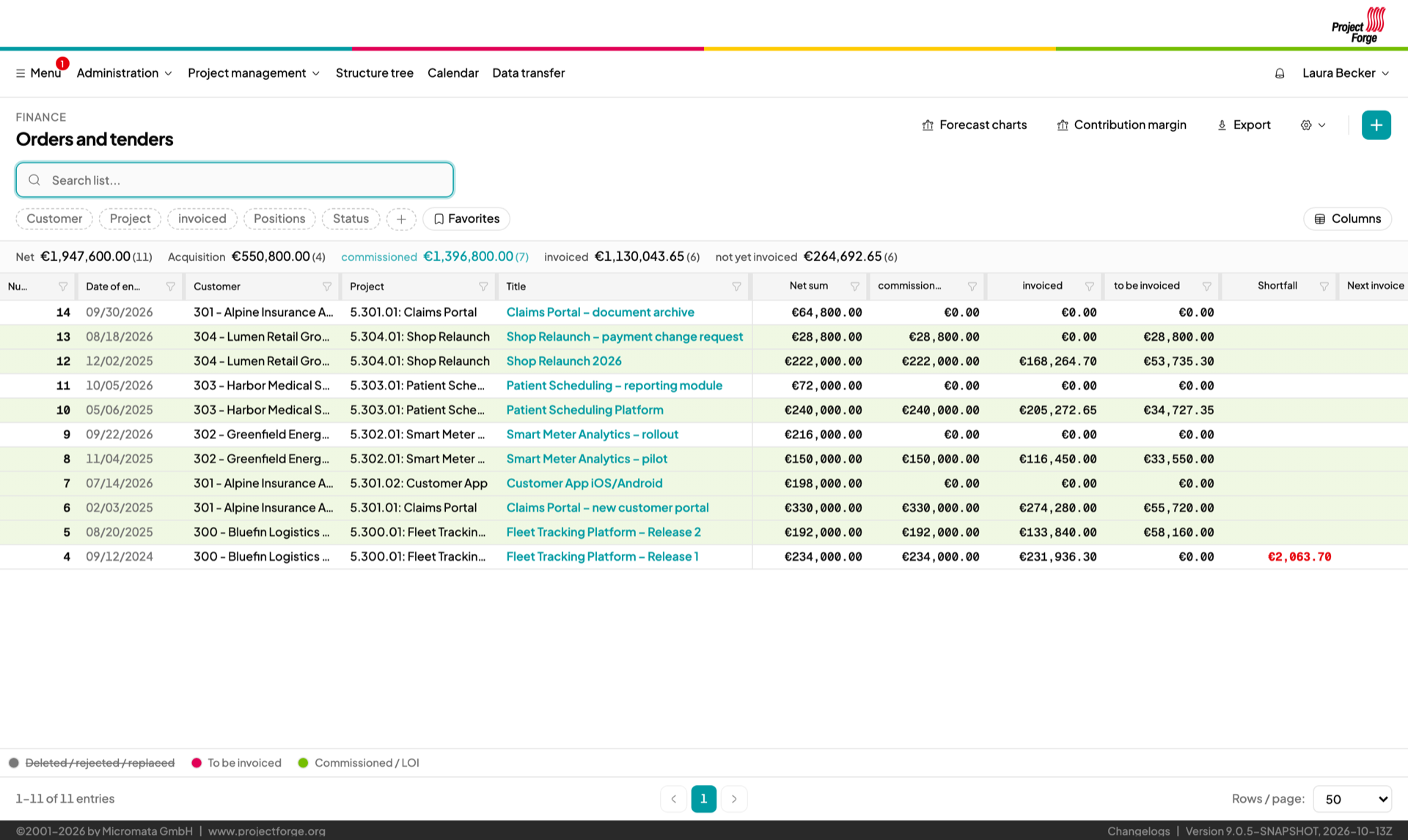
Offers and orders with positions, budgets, payment schedules and any number of contact persons. ProjectForge tells you when something is ready to be invoiced – and when an order is about to be over-invoiced.
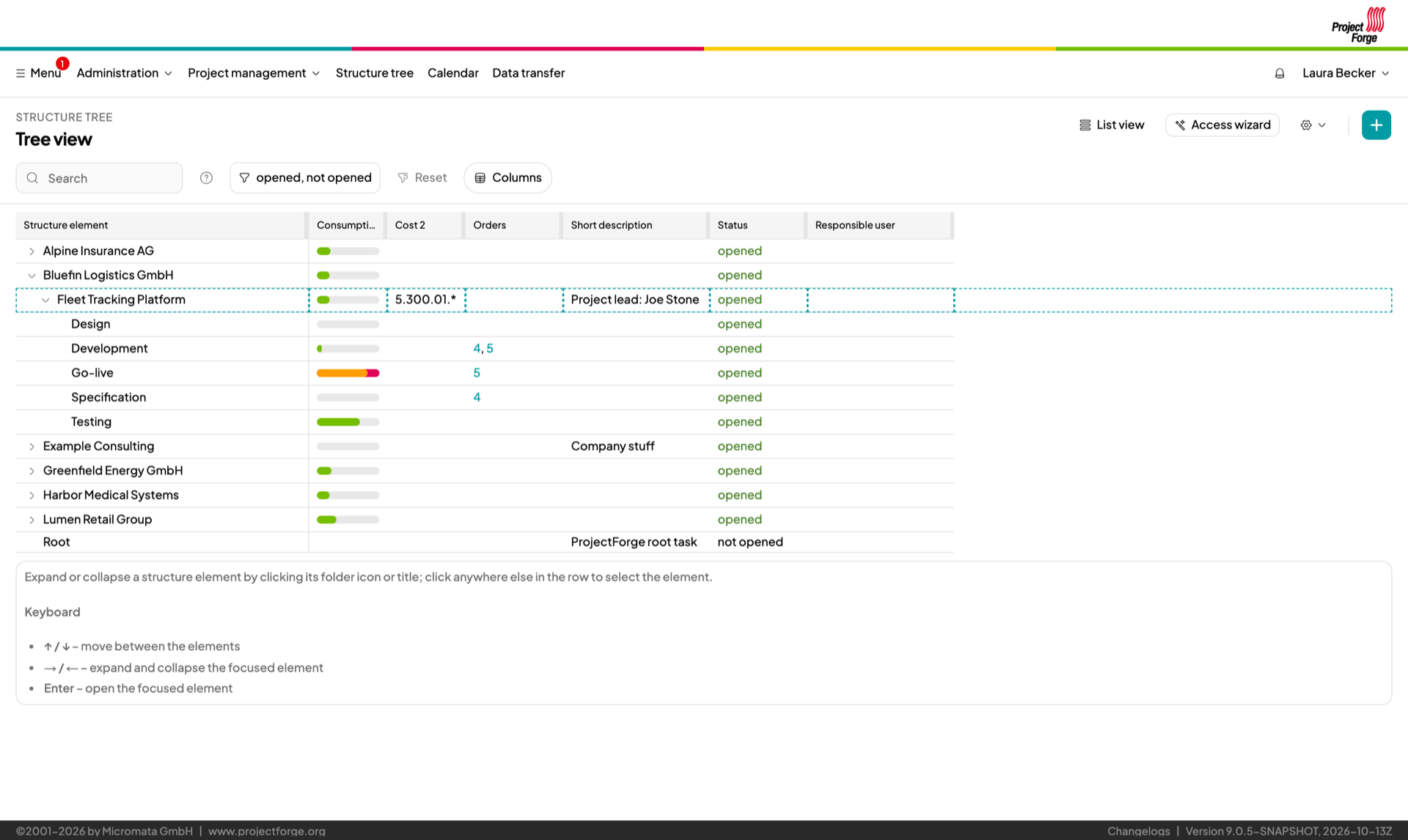
Structure customers, projects and phases in an unlimited hierarchy. Decide per group and task who may see, manage and book what.
Create a new project with its tasks, groups and access rights in one go.
See at a glance which tasks are on budget and which are running hot.
Plan your people across projects week by week, so project leads and employees always know who works on what.
Visualize your plan for your team and your customers.
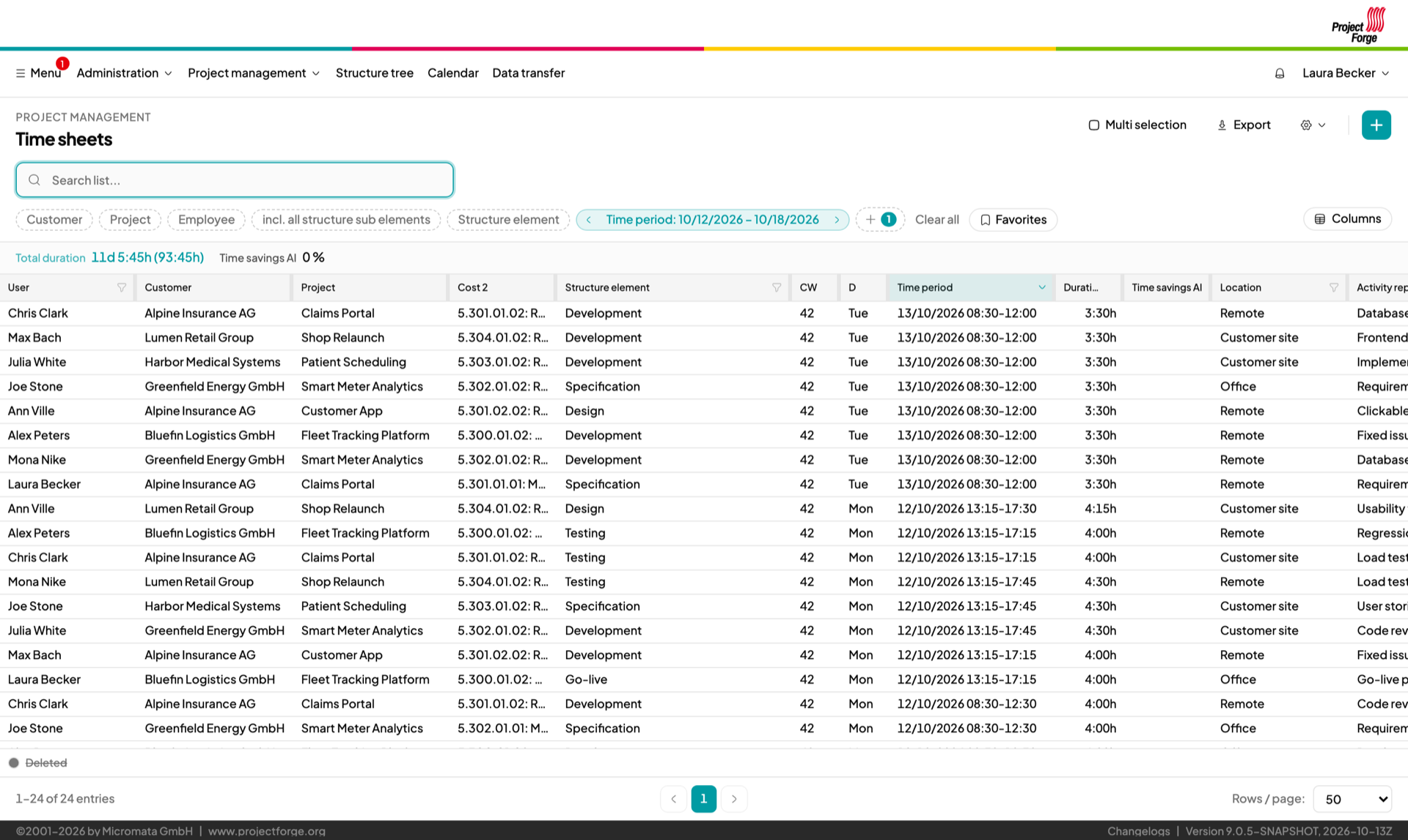
Booking time takes seconds, not a Friday afternoon.
Book recurring work from your favorites with a single click.
See your bookings next to your appointments, or book several days at once – holidays and weekends are skipped automatically.
Overlapping bookings are prevented – unless you explicitly allow them for shared costs.
Monthly employee reports and personal statistics for employees, project leads and payroll.
Select many bookings and change them at once.
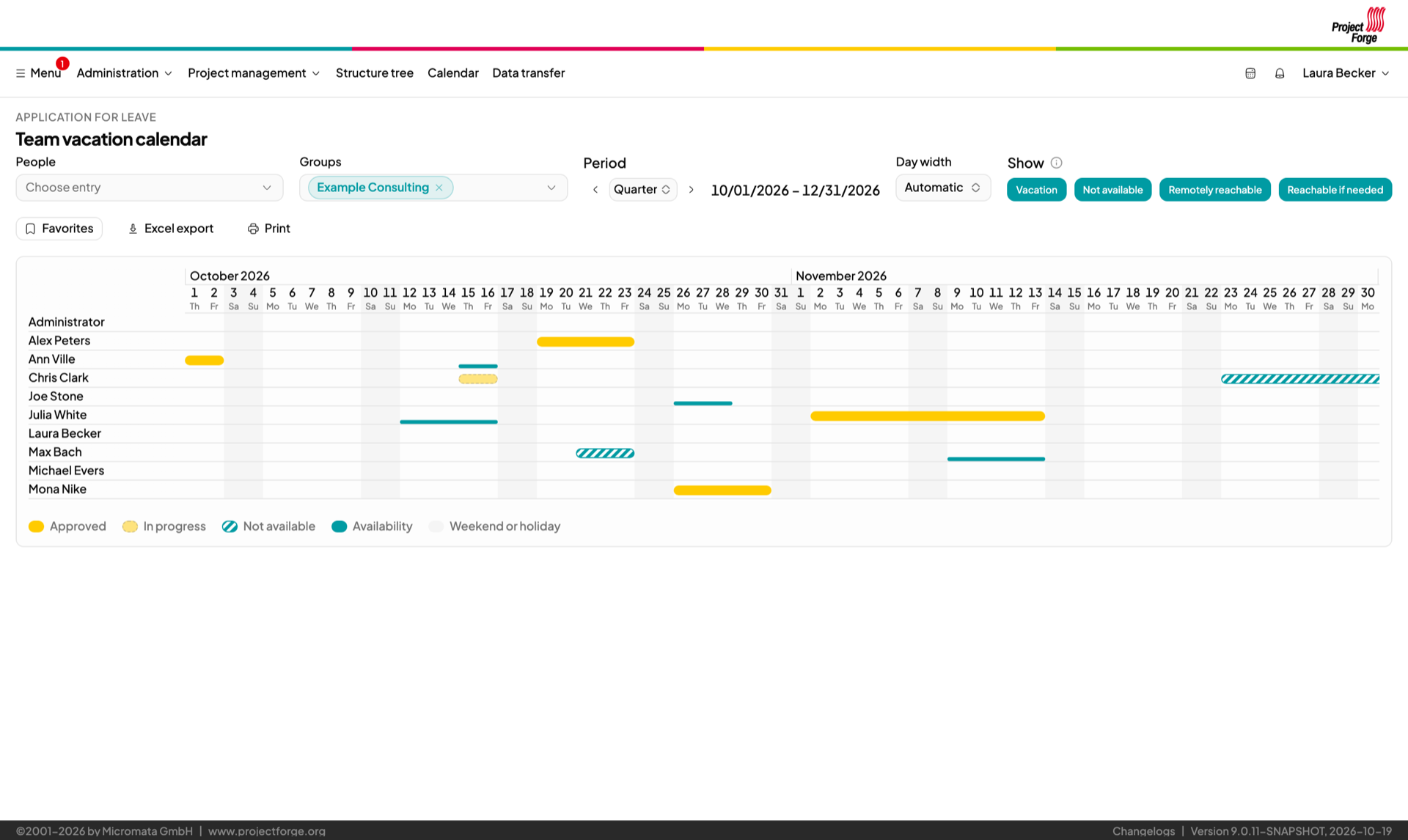
Who is away, who stands in, who can be reached – at a glance, without an extra HR tool.
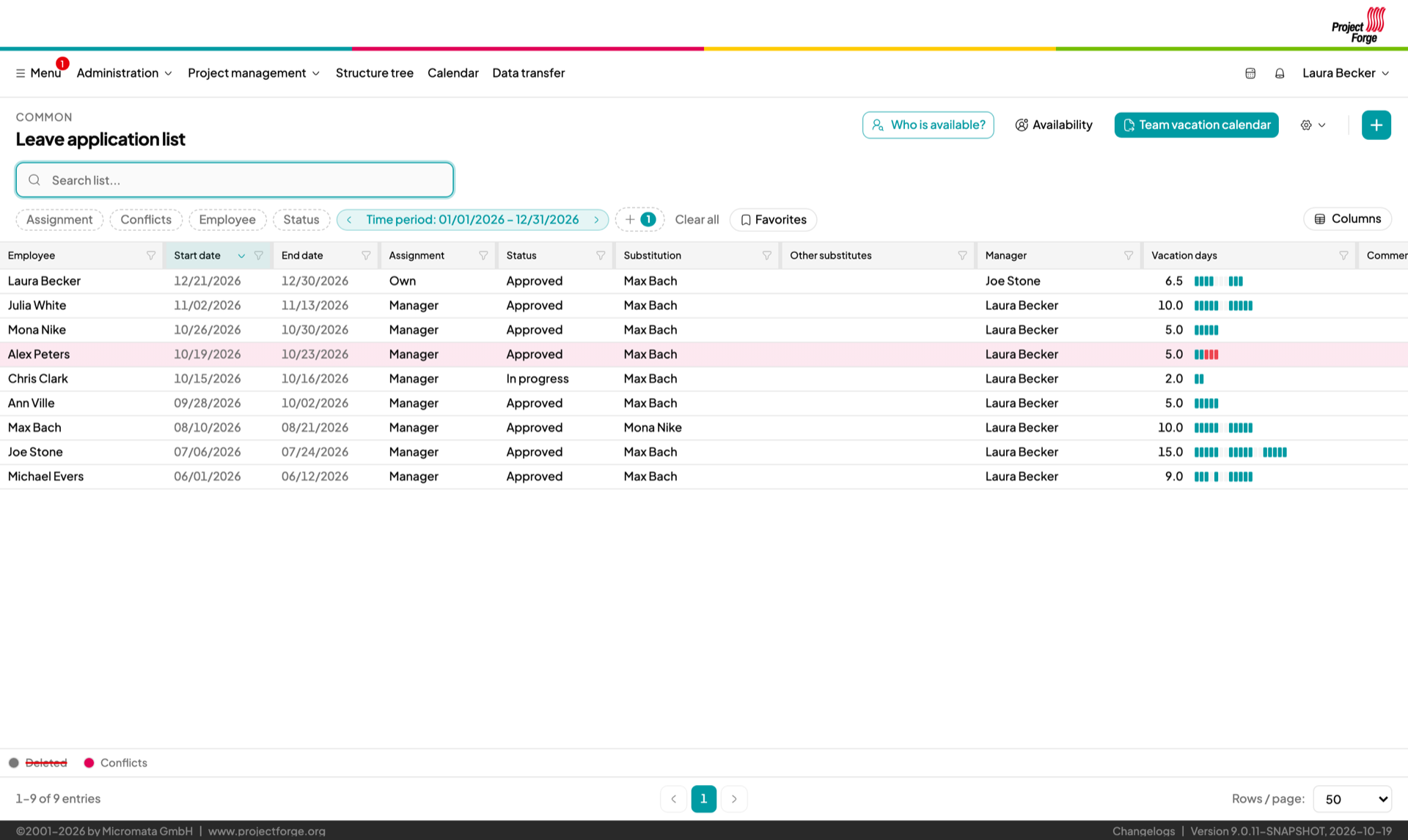
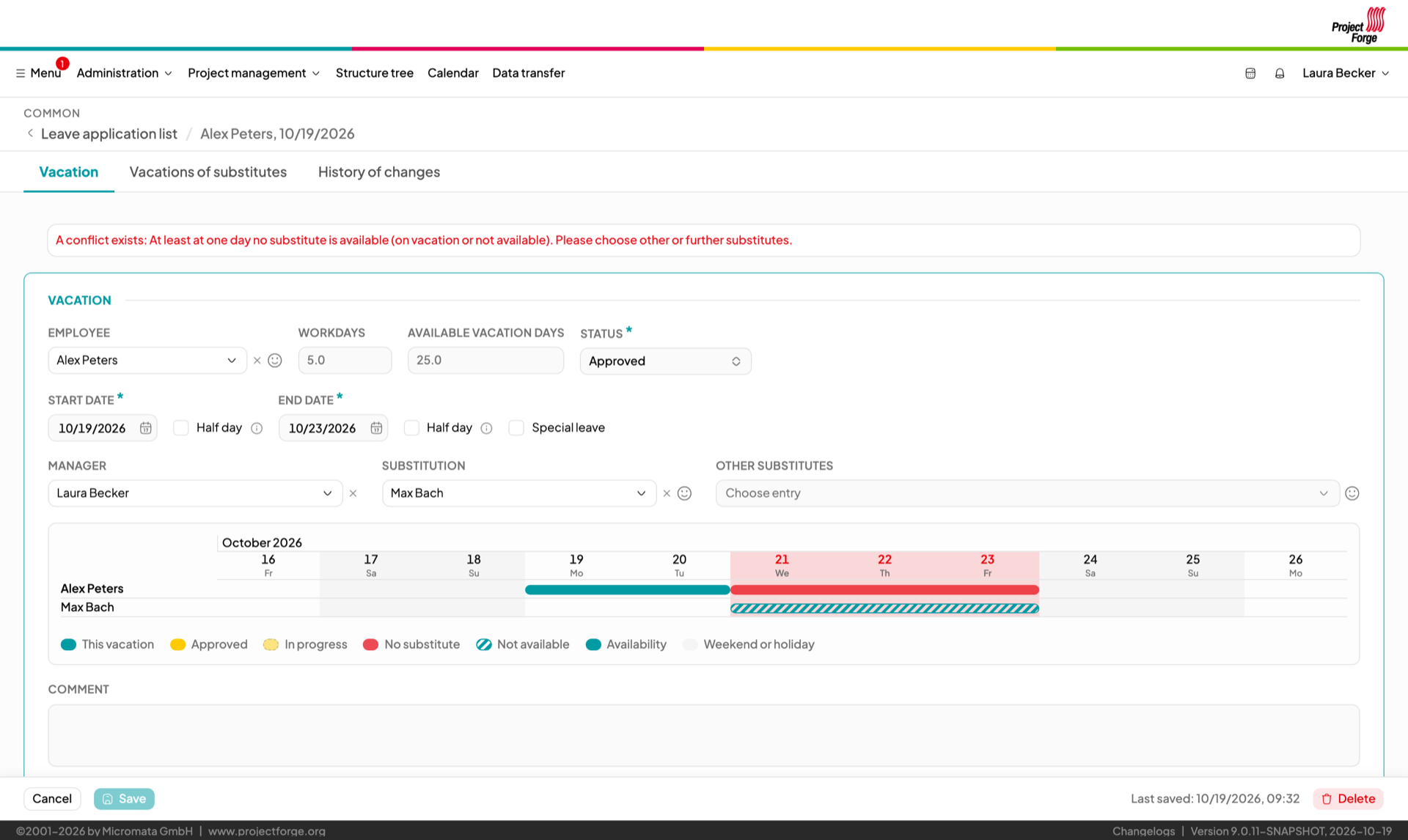
Request leave, get it approved, everybody involved is notified. Each request shows its days as a bar – weekends, holidays and the days without any substitute on duty.
The vacations and absences of the substitutes are charted right in the form, so gaps in the team are detected before the leave is approved.
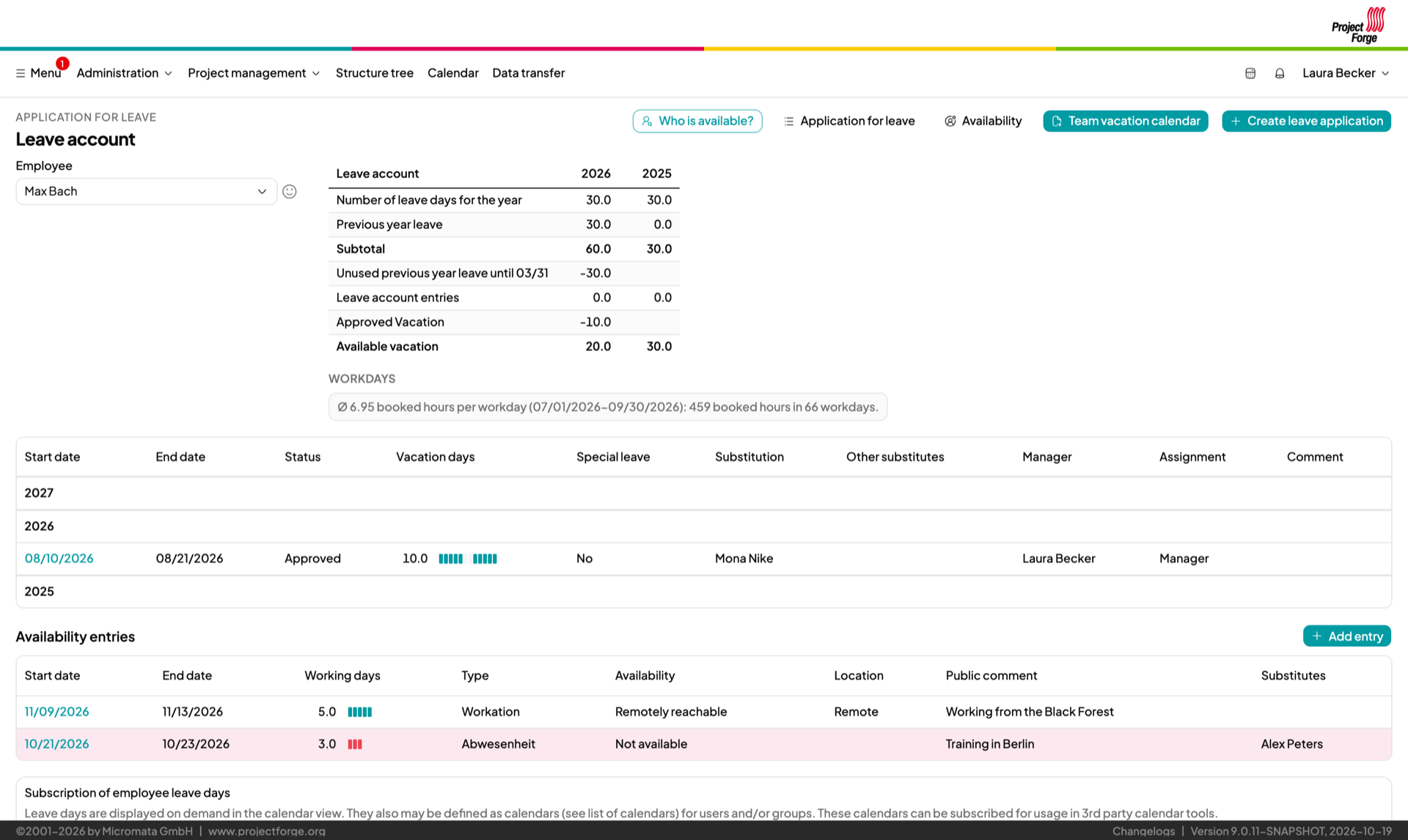
Entitlements, carry-overs and remaining days – always correct, with the year’s leave and absences in one view.
Approved vacation is booked as timesheets automatically every night.
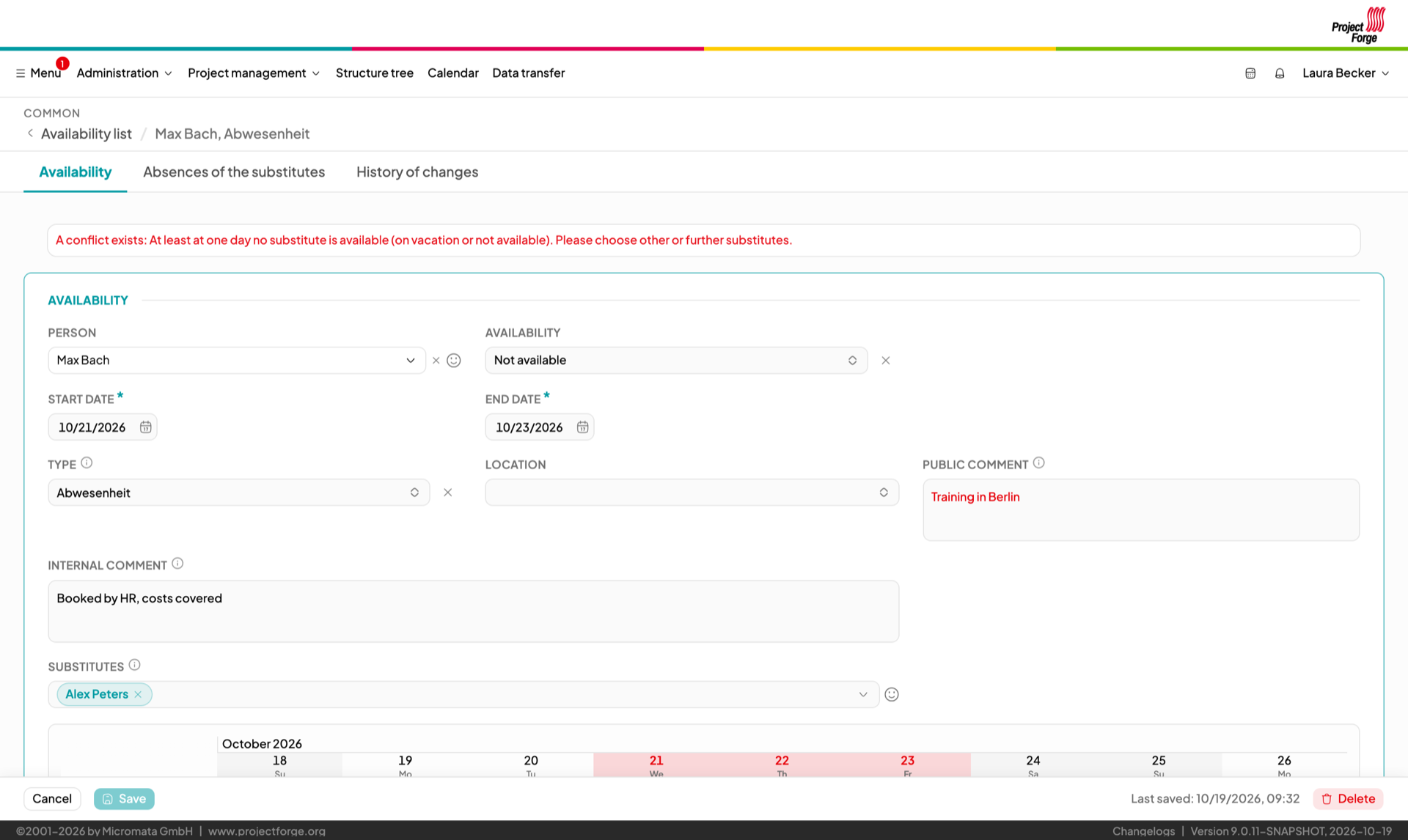
Parental leave, workation, illness or time off in lieu (the types are configurable): anybody, freelancers included, enters periods of reduced availability – not available, remotely reachable or reachable in urgent cases only, with location and a comment for the team.
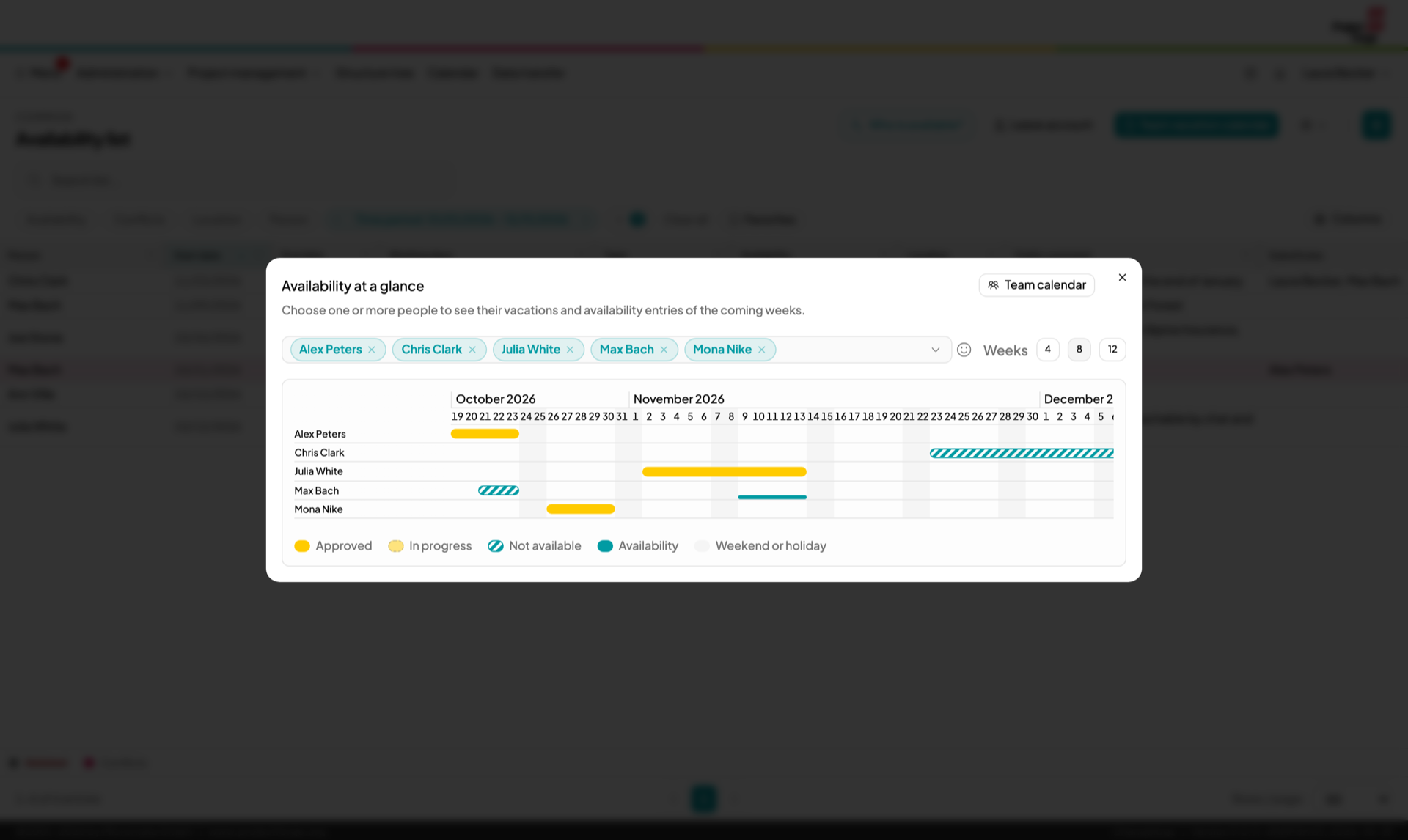
Pick some colleagues and see their vacations and absences of the next weeks as bars, right from the calendar, the leave account and the lists.
Vacations and availability entries of your groups in the calendar, in team calendars and their ICS subscriptions – each calendar decides which kinds it shows.
The leave of whole groups per quarter or year, printable and as Excel export.
Colleagues see what matters to them – the status from today on. The reason of an absence stays with the person concerned and HR.
Employees, salaries and skills in one place.
Employee data and salaries, importable from Excel and exportable to DATEV.
Who knows what? Your team rates its own skills and interests – a great help when staffing new projects.
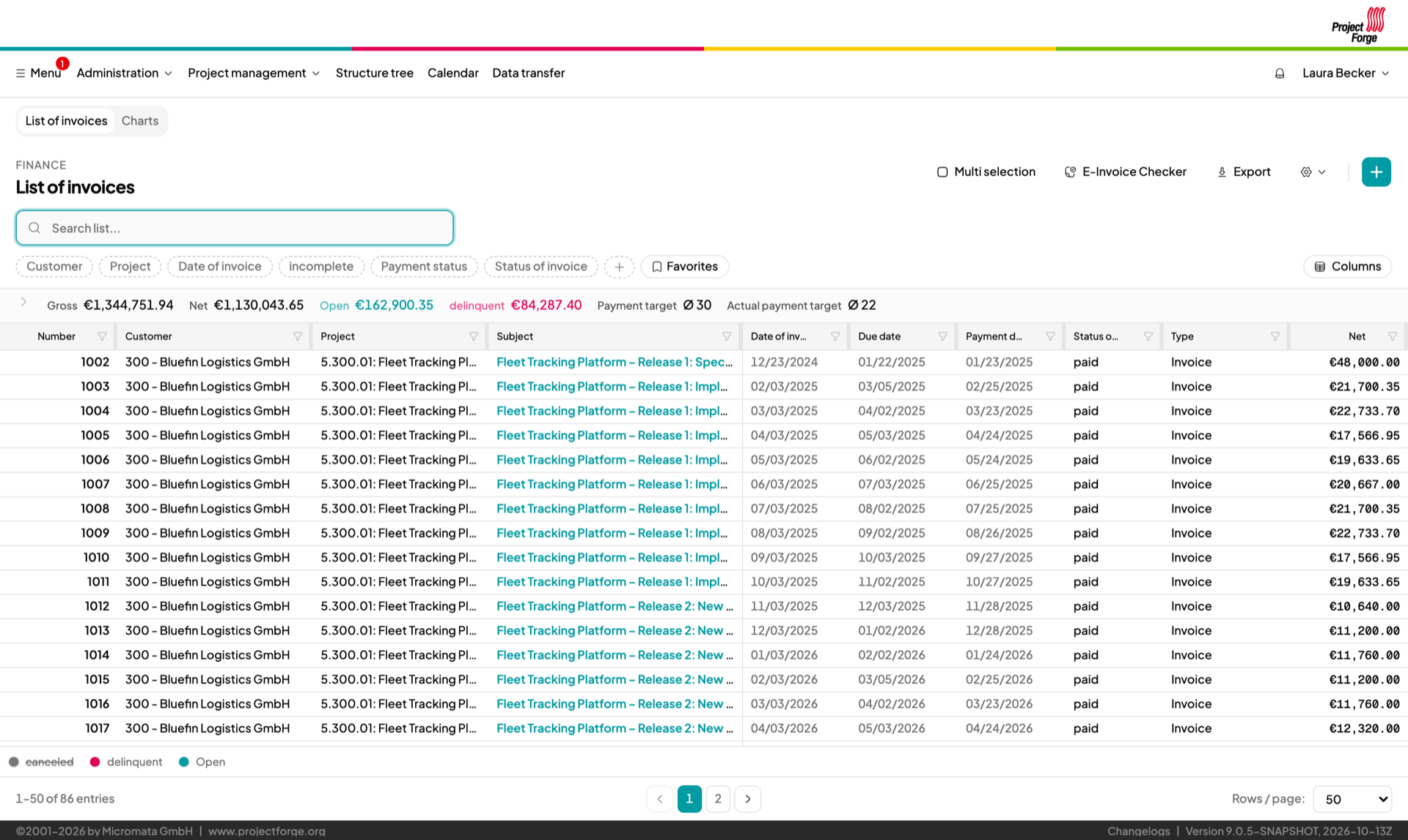
From booked hours to a compliant invoice – XRechnung and ZUGFeRD included.
Invoice positions linked to orders and projects, Word templates for your layout, PDF output and cancellation invoices.
Create PEPPOL-ready XRechnung and ZUGFeRD invoices, checked for completeness before export – and check the e-invoices you receive with the built-in e-invoice checker.
Capture or import incoming invoices and assign them to cost units.
Cost units and accounts give you clean results per project, customer and department.
Amounts in foreign currencies with online exchange rates.
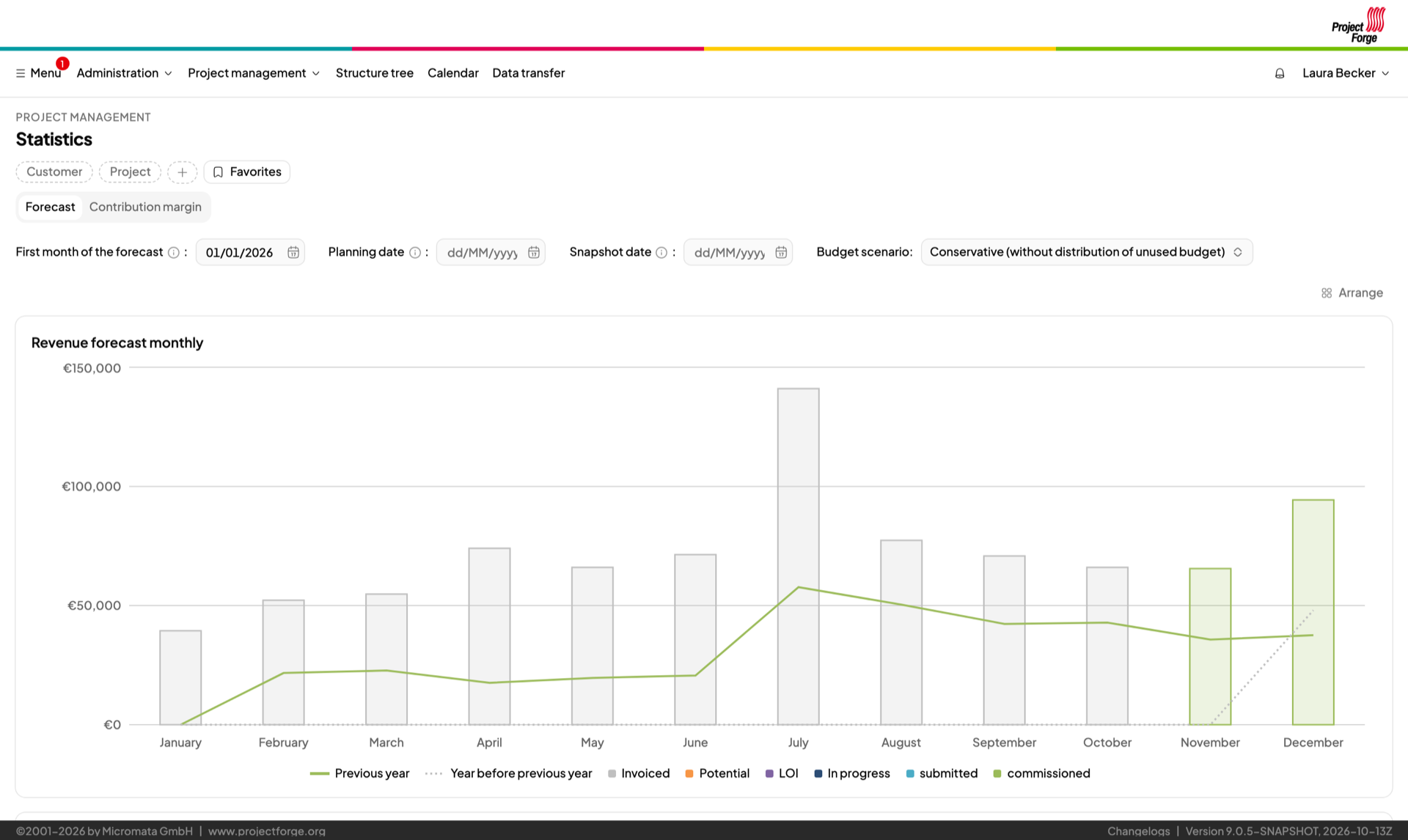
Know today what next quarter looks like.
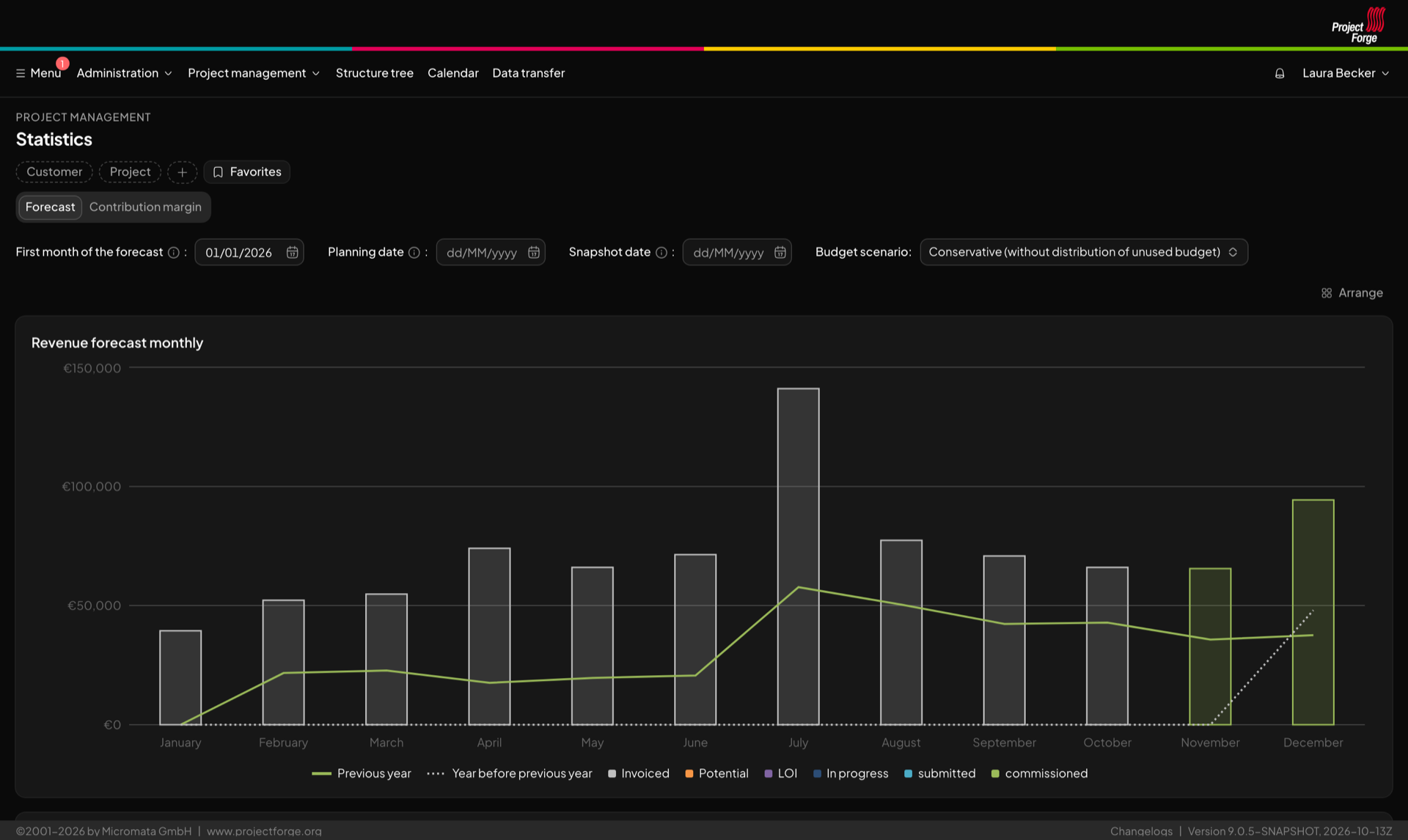
Expected revenue month by month, compared with previous years, as Excel export.
Order statistics, contribution margins and invoicing quota on chart tiles you can arrange the way you like.
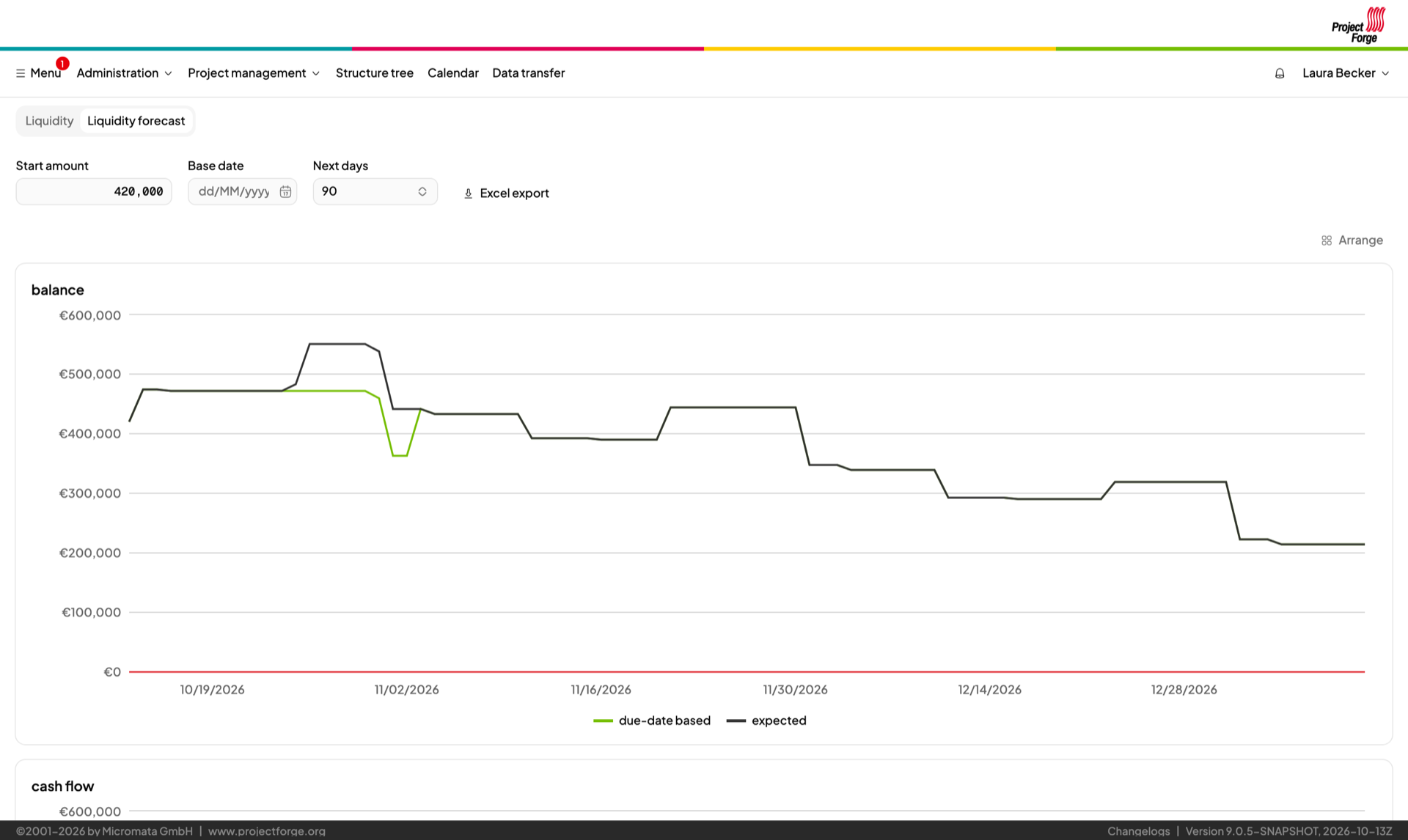
Expected payments, recurring series and invoices combined into one liquidity forecast.
Import account statements and browse the transactions of your accounts.
Import accounting records and incoming invoices from DATEV and get business assessments (BWA).
Chat, team calendars, address book, file sharing and Word templates – the everyday things your team needs anyway.
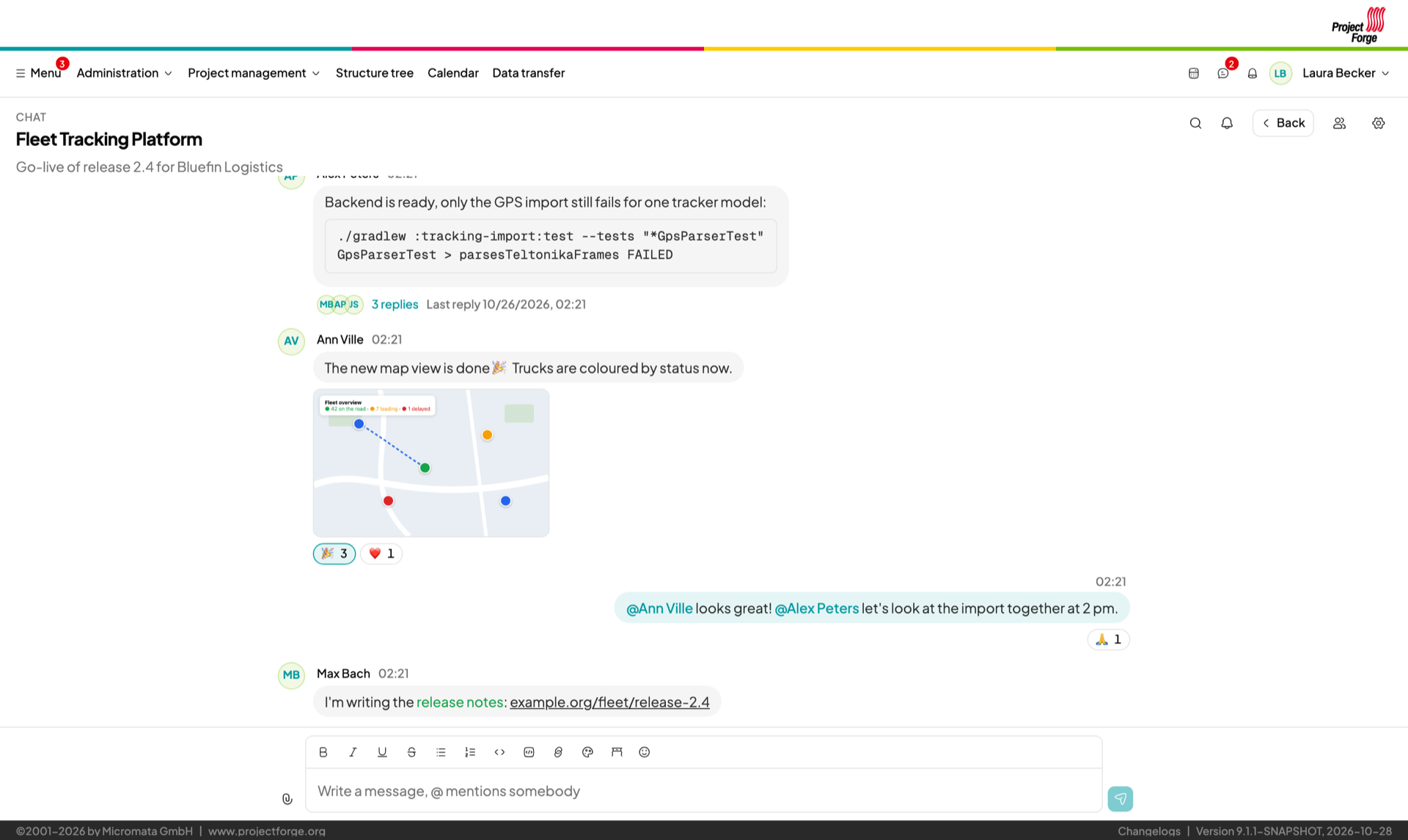
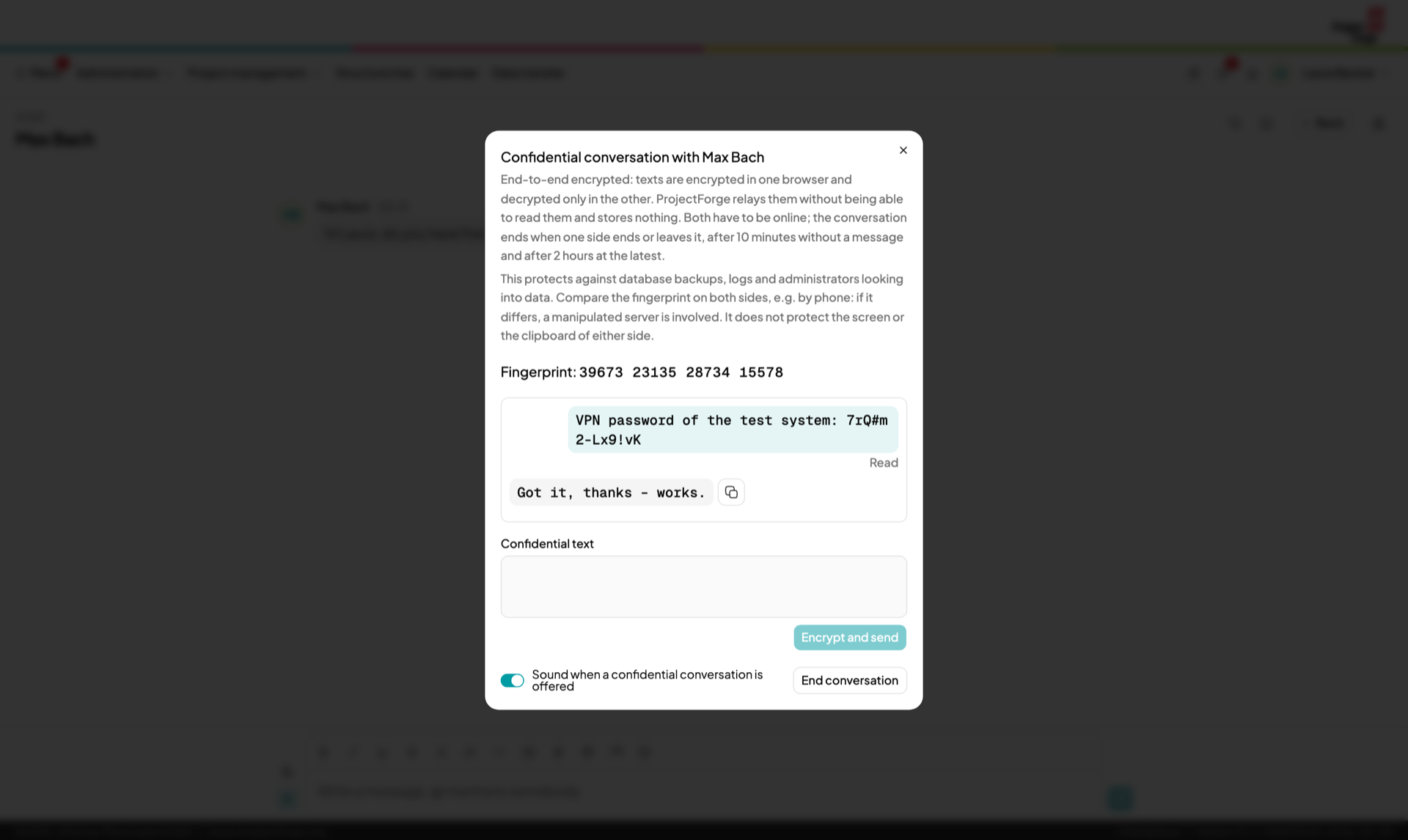
Rooms for teams and projects and direct messages, with files, reactions, threads and @mentions – live, on your own server. Confidential messages such as passwords travel end-to-end encrypted and are shown only once (user guide).
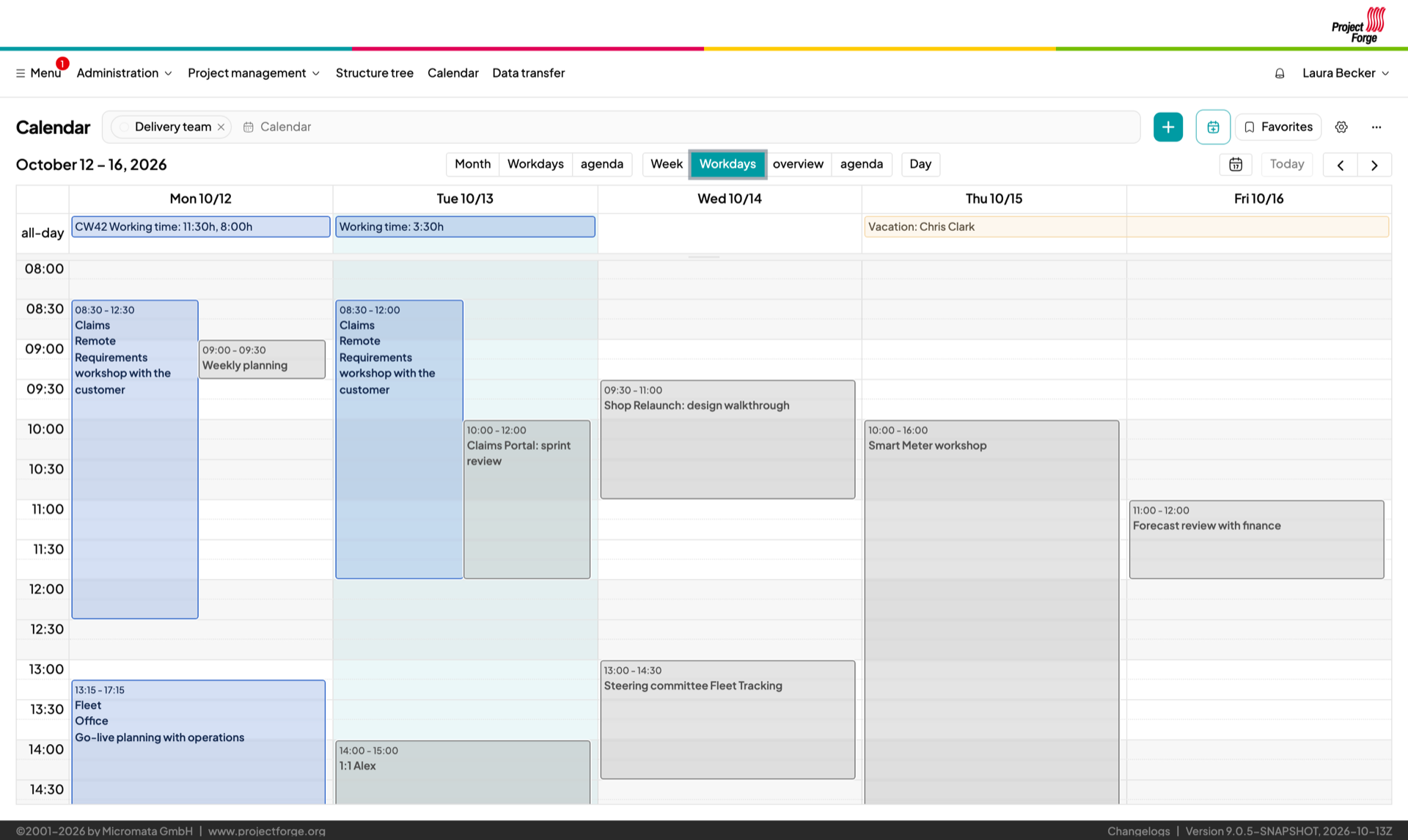
Shared calendars with holidays and birthdays. Subscribe to them on any device via ICS and show external calendars inside ProjectForge.
Shared addresses, synchronized to your phone via CardDAV, vCard export.
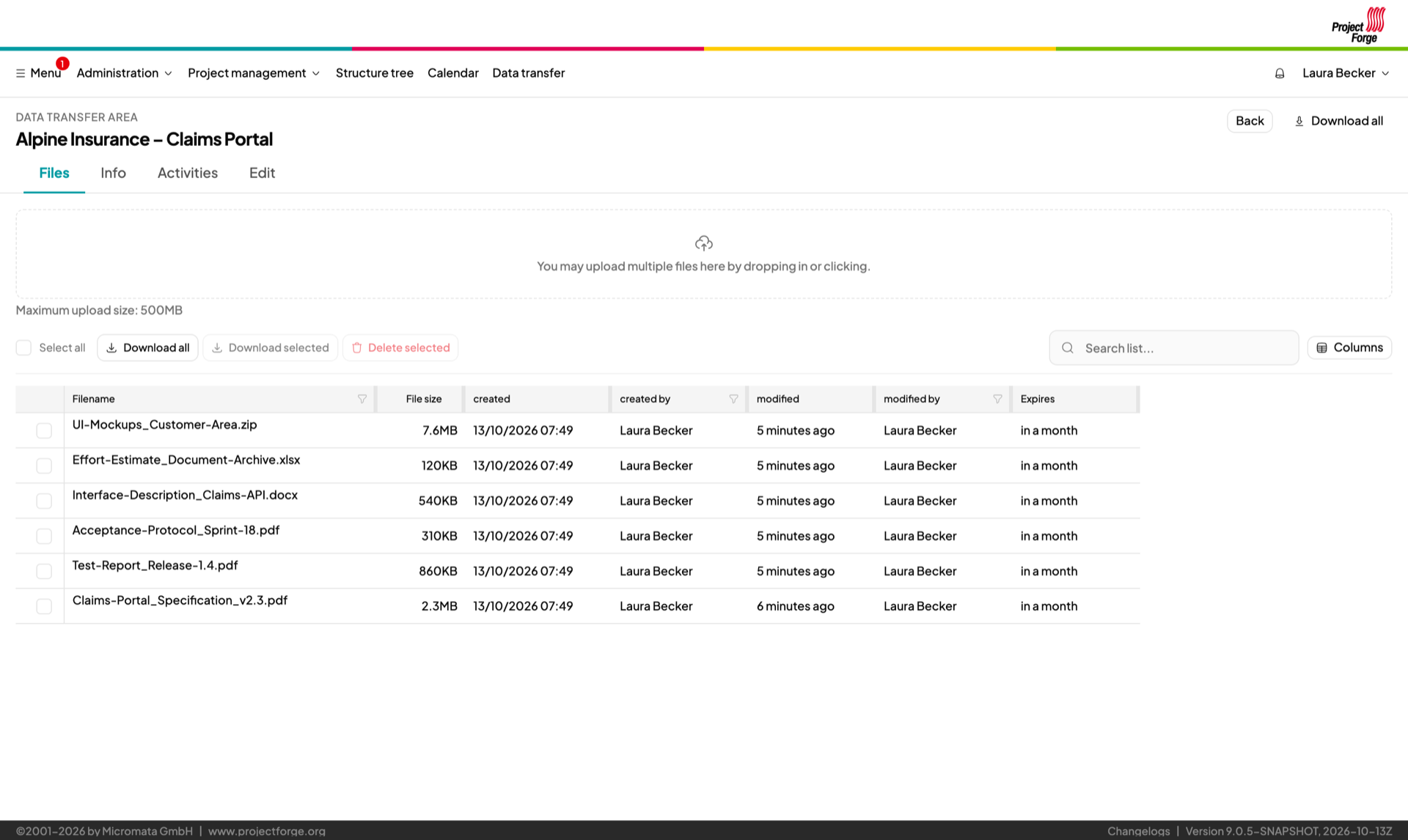
Share files with colleagues and customers – protected by password and expiry date, with a full activity log.
Generate contracts and serial letters from your own Word templates, as Word or PDF.
Ask your team and get a quick answer.
Contracts, incoming and outgoing mail log, visitor book, library, software licenses and hardware.
A tool people actually like to open.
Fast and responsive – on the desktop, tablet and phone. In a light or dark theme.
Find any customer, project, invoice or address in seconds.
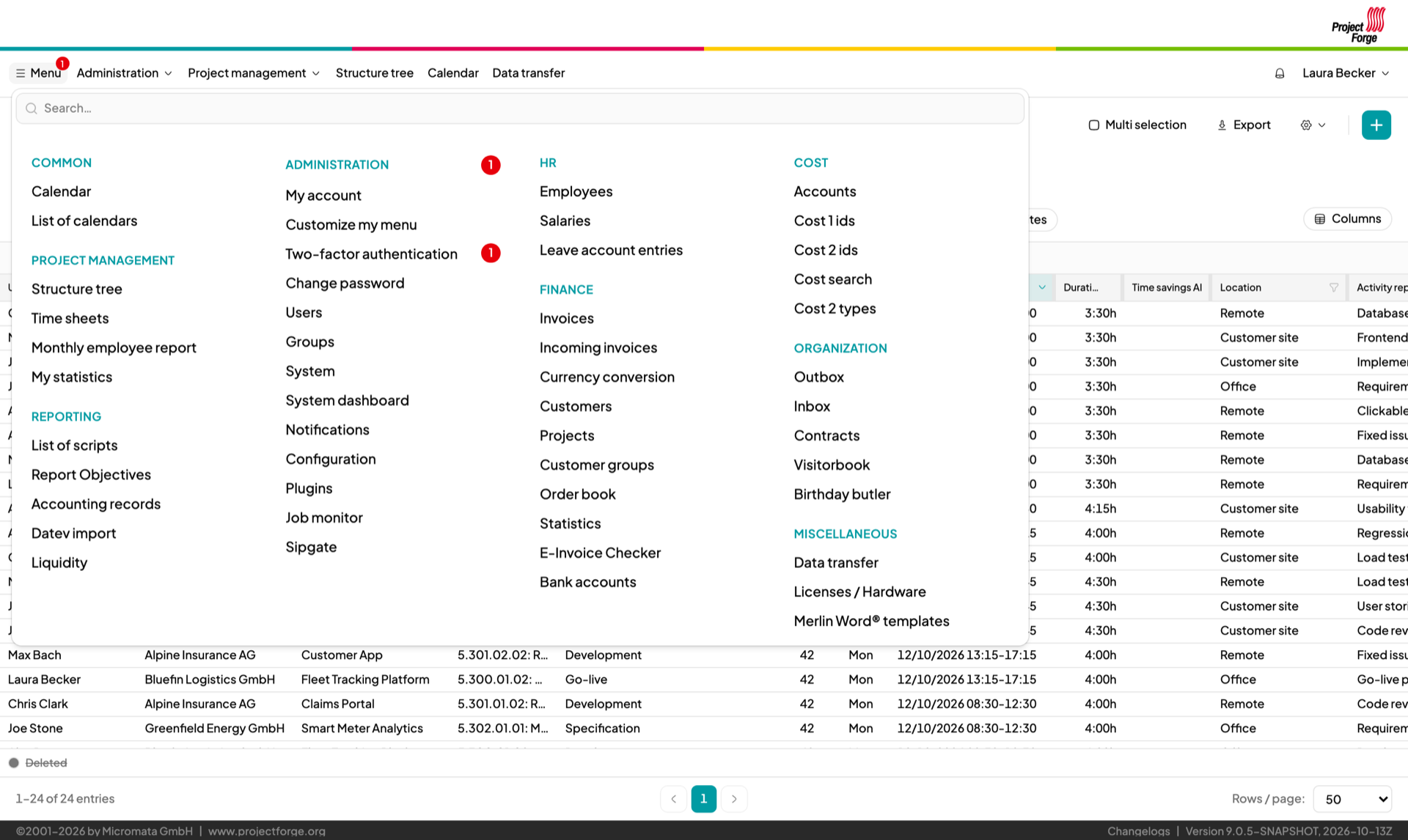
Favorites bar, recently used pages and a menu you can customize.
Export every list to Excel.
Every change is logged with who and when – and you can comment on it.
English and German interface, mails in the language of the recipient.
Your data stays yours – on your server, under your rules.
Runs on your own server, in your data center or with a hoster you choose. You decide where the data lives, who has access, how long it is kept and when you update.
No telemetry, no tracking, no scripts, fonts or images from other hosts – the Content Security Policy of the browser refuses them.
The code can be checked by anybody. Your data is in your own PostgreSQL database, without vendor lock-in.
Processing personal data becomes a matter of your own policies, without a processor outside your control. Fine-grained rights, the history of changes and privacy by default support you – the reason of an absence, for example, stays with the person concerned and HR.
Passwords and access data travel end-to-end encrypted between two browsers – never stored, not in the database, logs, backups or mails. Administrators can’t read conversations either.
See also Data sovereignty and GDPR in the user guide.
Fits into your IT, not the other way round.
Keycloak or Authentik, or LDAP – as client or as master of your users and groups (including POSIX and Samba accounts).
Authenticator apps, WebAuthn security keys, codes by mail or SMS.
Groups, roles and access rights per task.
Offer calendars, contacts and file sharing to the outside world without exposing your main system.
Access tokens for REST clients and calendar subscriptions, phone integration (Sipgate direct call, SMS), Jira issue links.
Easy to run, easy to extend.
Runs anywhere Java runs, with PostgreSQL in production. Database migrations run automatically on update.
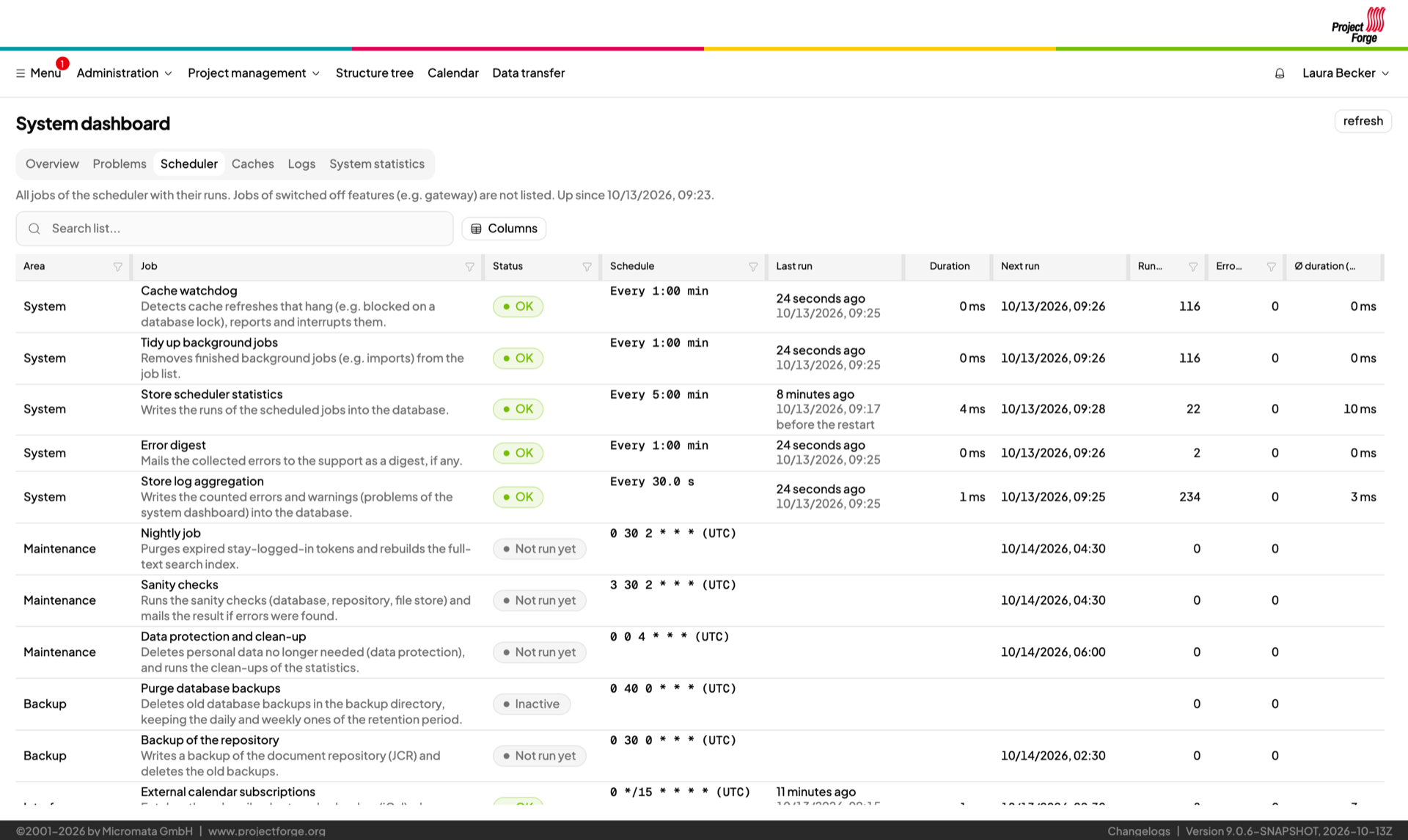
Problems, statistics, scheduled jobs and caches in one place – plus an error digest by mail.
Live log and full log-file search with context, right in the browser.
Kotlin and Groovy scripts for your own reports and exports – even as buttons on selected pages.
Extend ProjectForge with your own modules.
Kotlin, Spring Boot and Next.js. Read the code, change it, contribute.
Server: Docker image or executable JAR (Java 21 or newer) for Linux, macOS and Windows, see Installation.
Database: PostgreSQL for production, an embedded database for evaluation.
Users: a current web browser – nothing to install on the client.
Download ProjectForge and follow the Quick start.